
Inventory, reorder and stocktake.
One Excel workbook.
For small warehouses that track stock by SKU. Keep movements, available quantities and replenishment planning together, with formulas you can inspect.
Excel .xlsx · No macros · English sheets + bilingual guide
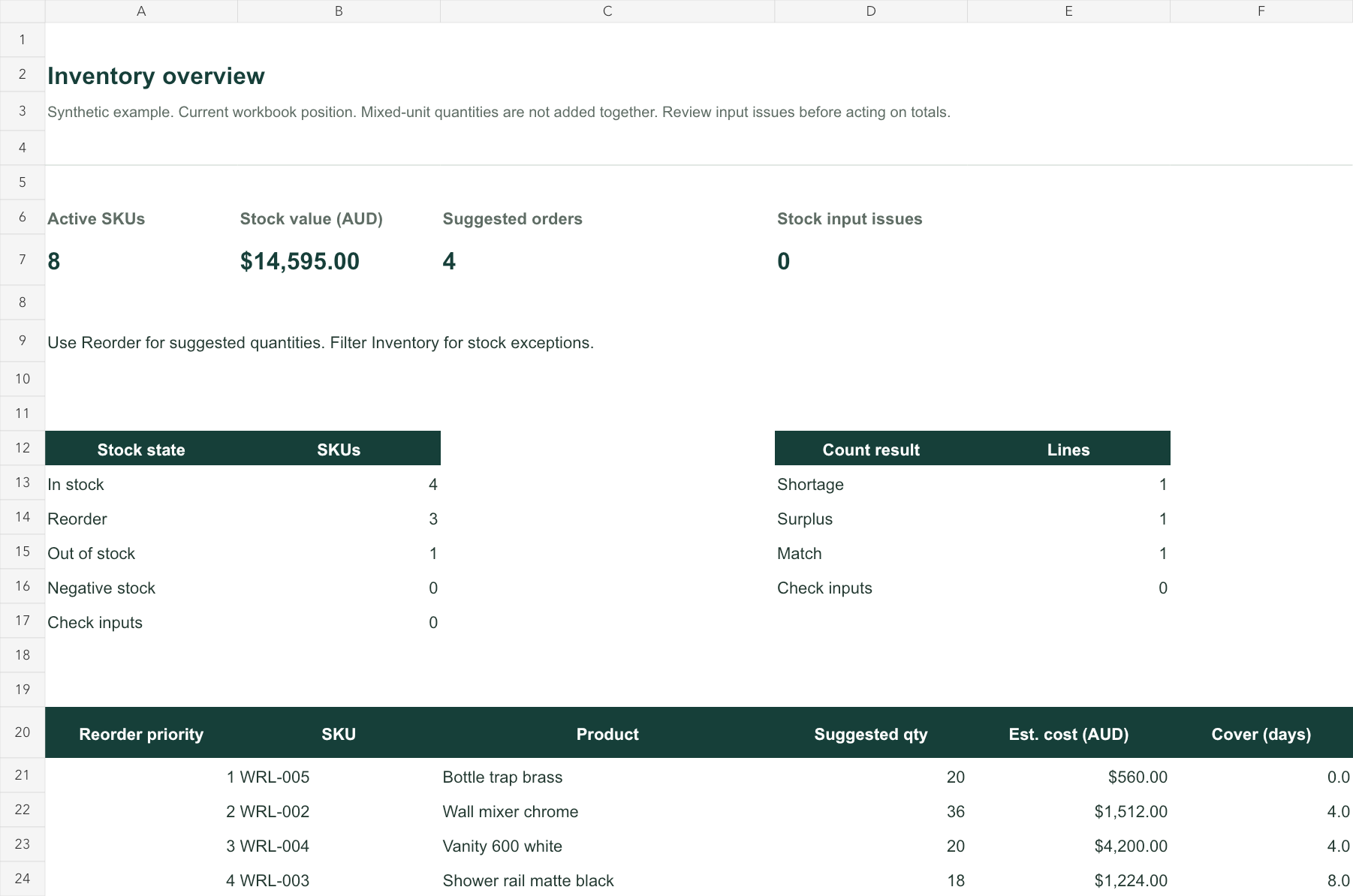
From stock movements to your next order
Enter data once in the input sheets. The working views calculate from those records.
- Set up products
Unique SKUs, opening stock, unit cost, demand and your own lead-time assumptions.
- Record movements
Receipts, issues and positive/negative adjustments have an explicit type and reference.
- Act on the results
Review available stock, pack-rounded reorder suggestions and count differences.
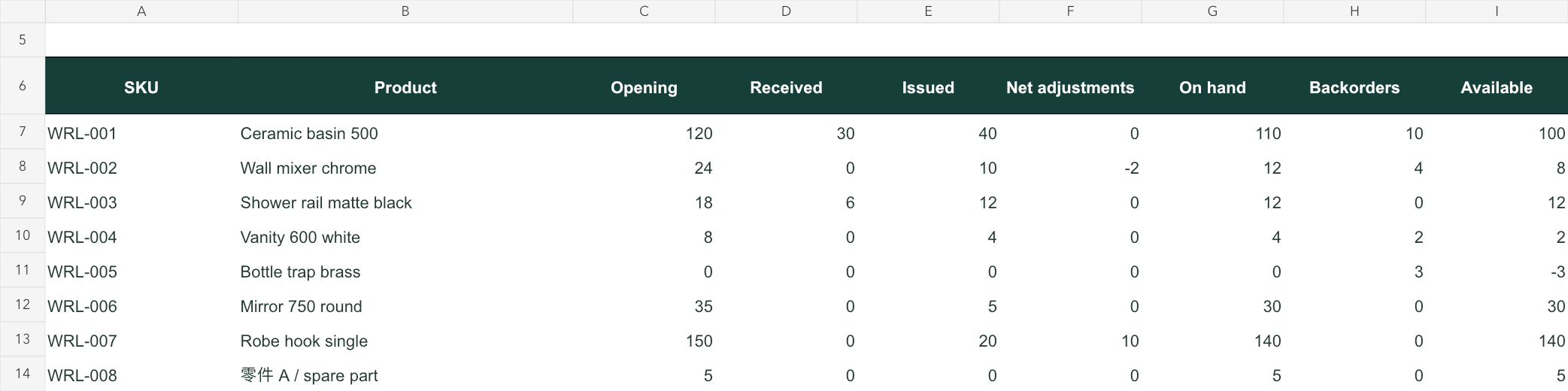
See what changed your stock
Opening balances and valid movements build the on-hand quantity. Backorders are shown separately. Duplicate identifiers, unknown SKUs and missing inputs are highlighted before you rely on the totals.
Use the free online variance tool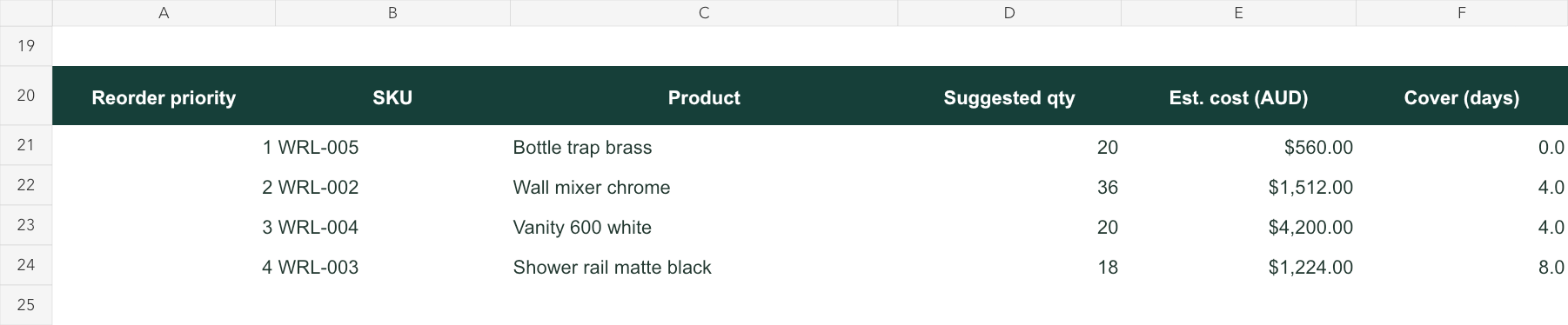
Make the next order easier to check
The plan includes on-order stock and backorders, sets a reorder point and target, then rounds the suggested quantity to the order multiple. It does not place orders or promise stock availability.
The full kit also includes stocktake with a manually recorded book snapshot. Later movements do not rewrite that snapshot.
Start with the sample. Keep the full workflow when you need it.
The sample has working formulas and editable example data. The full file is a blank, prepared template.
| Included | Free sample | Full kit |
|---|---|---|
| Prepared product rows | 10 | 200 |
| Prepared movement rows | 50 | 2,000 |
| Product setup, inventory and reorder | Included | Included |
| Overview and reorder priorities | Not included | Included |
| Stocktake with book snapshot | Not included | Included |
| English working sheets + bilingual guide | Included | Included |
| Starting data | Synthetic examples | Blank inputs + editable defaults |
These are prepared ranges, not a promise of automatic expansion. Rows beyond them are not included without changing the workbook.
Warelium Inventory & Reorder Kit
One-time Excel download for one business’s internal use. Editable formulas and inputs.
No macros, live connections or subscription in the workbook. Customization and ongoing support are not included.
The full kit is coming soon. You can use the free sample now.
Try the free sample firstBefore you choose
Is this right for my warehouse?
It suits a small team maintaining one stock pool per SKU with whole-number quantities. It does not allocate stock by bin, track lots/serial numbers/expiry, synchronize multiple editors or connect automatically to an ERP.
Which spreadsheet app should I use?
The download is an Excel .xlsx file using familiar scalar formulas. Use a current desktop version of Excel and keep a dated backup. Import into another spreadsheet app should be checked before relying on results.
Are the costs an accounting valuation?
No. Stock and order values use the single unit cost you enter in AUD. The workbook does not calculate FIFO, GST, tax, cash flow or financial statements.
Where does my data go?
The workbook has no external connections or macros. Your entries stay in the file. How you store or share that file is under your control.
Can I modify or redistribute it?
You may modify the workbook for your licensed business’s internal use. Do not resell or redistribute the template. Keep an original copy before changing formulas.
Try it with your stock before you decide.
The free sample downloads directly. No email or signup is required.
Download the free Excel sampleYour files stay with you.
Downloading does not send us the stock data you later enter. The hosting provider may process ordinary access logs.